
Gobo Lighting Explained: Add Realistic Light Patterns in ArchViz
Gobo lighting uses a stencil or pattern placed in front of a light to project shapes, textures, or shadows onto surfaces.

In architectural visualization, lighting is what transforms a technically correct scene into something that feels real and immersive. Even with high-quality models and materials, even lighting can make a render look flat and lifeless.
This is where subtle light variations and shadow details become essential to creating depth and atmosphere. One of the most effective yet often overlooked techniques to achieve this is gobo lighting, which adds natural and dynamic light patterns to your scene.
In this blog, I will share the importance of gobo lighting and how it can instantly elevate your architectural renders by adding realistic light patterns, depth, and a more cinematic visual appeal.
What is Gobo Lighting?
A gobo, short for “goes before optics,” is a lighting technique where a stencil or texture is placed in front of a light source to project specific shapes or patterns.
Instead of emitting plain light, it selectively blocks and passes light to create detailed shadows and visual textures on surfaces. Widely used in theater, concerts, and photography, it essentially works like a precision tool that sculpts light into patterns, adding depth, atmosphere, or even branding to a scene.
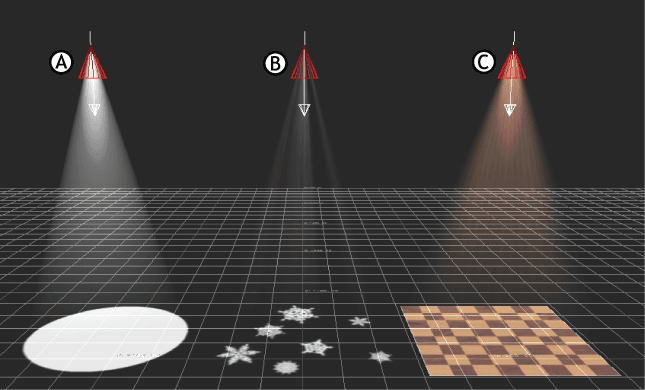
Image credit: Autodesk
How Gobo Lighting Works in 3D?
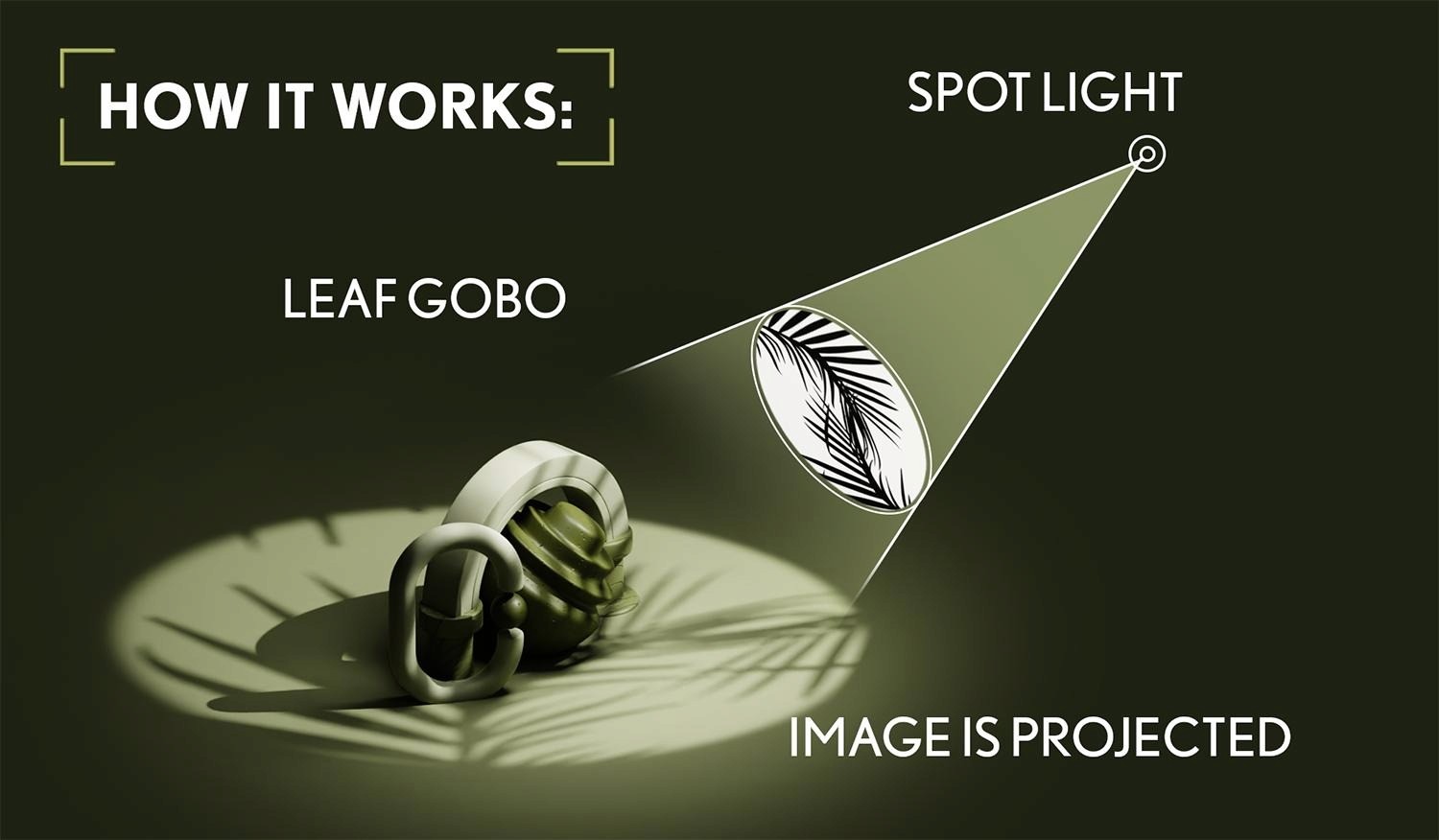
Image credit: Guide of Greece
Gobo lighting in 3D rendering works by controlling how light passes through a texture or pattern before it reaches surfaces in your scene. Instead of emitting uniform light, the light source uses an image or map to shape shadows and highlights, creating more realistic and dynamic results.
1. Light Source
The process starts with a light source such as a spot light, directional light, or area light.
Key role:
Acts as the emitter of light
Determines direction, intensity, and spread
Common choices in ArchViz include sun lights and spot lights
2. Gobo Texture (Projection Map)
A gobo texture is usually a black and white or grayscale image applied to the light.
How it works:
White areas allow light to pass through
Black areas block the light
Gray values create partial light, giving softer transitions
3. Projection Mechanism
The light projects the texture onto objects in the scene, similar to how a projector casts an image onto a screen.
What affects the result:
Distance between light and surface
Angle of the light
Scale and rotation of the texture
4. Final Result in the Render
The outcome is a scene with detailed light and shadow patterns that feel natural and visually rich.
Why it matters:
Adds depth without extra geometry
Creates realistic light breakup
Enhances mood and storytelling
Gobo lighting in 3D is essentially a combination of light + texture + projection. By controlling these three elements, you can transform flat lighting into something far more realistic and cinematic.

Image credit: ruanlotter - Blender Reddit
Why Gobo Lighting Matters in ArchViz?
In architectural visualization, gobo lighting helps bring life to scenes by adding realistic light behavior that enhances both visual quality and storytelling.
Adds natural light variation, making scenes feel less artificial and more realistic
Breaks flat and uniform lighting by introducing dynamic shadow patterns
Enhances depth and dimension without adding extra geometry
Helps simulate real-world lighting conditions like sunlight through windows, blinds, or trees
Elevates visual storytelling by creating mood and atmosphere
Improves composition by guiding the viewer’s eye through light and shadow
Reduces the need for complex modeling while still achieving detailed results
Gives renders a more cinematic and high-end look, especially for presentations and portfolios
Types of Gobo Effects Used in 3D Rendering
Let’s see the 4 types of Gobo Lighting Effects in 3D Rendering:
1. Natural Gobos
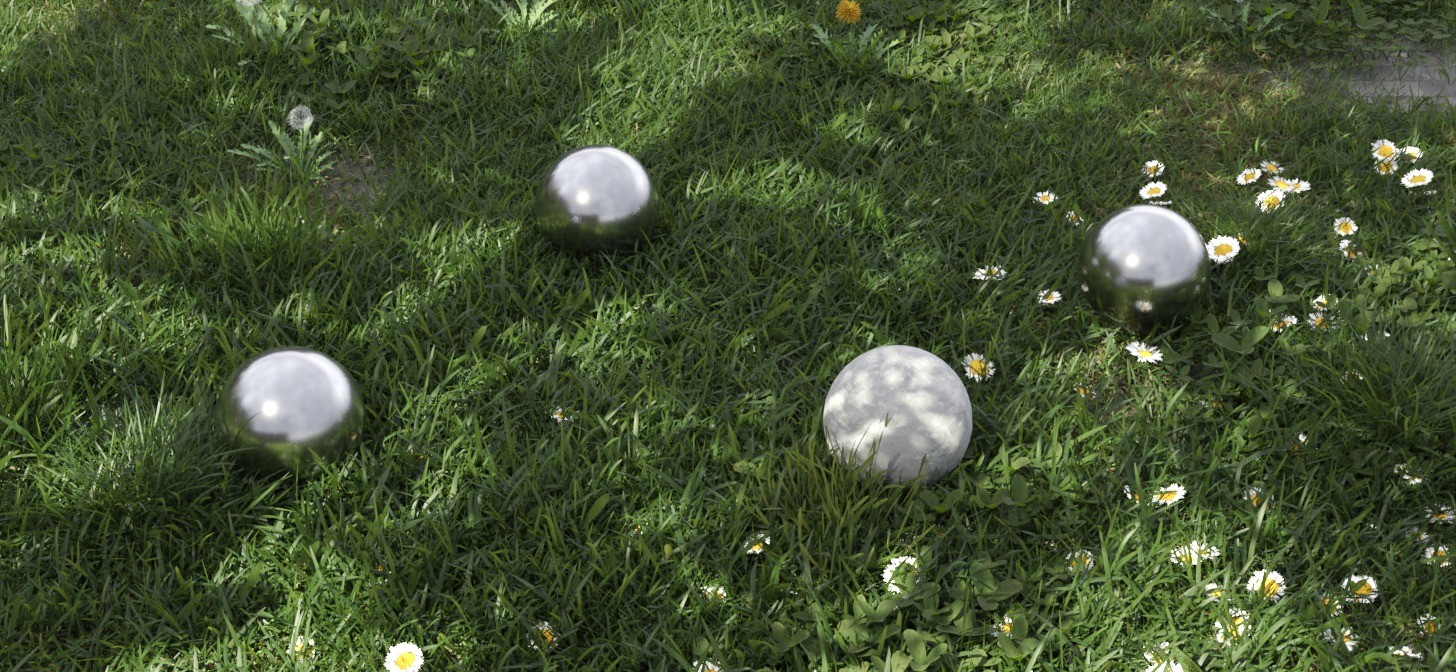
Image Credit: Blendernation
These mimic organic elements found in real environments and are widely used to simulate natural light behavior.
Where to use:
Sunlight passing through trees
Outdoor scenes with greenery
Interior spaces with nearby landscape
Why it works:
Natural gobos add randomness and imperfection, which is key to making renders feel believable.
2. Architectural Gobos
These are based on structural elements of a building and help simulate how light interacts with architecture.
Where to use:
Window blinds or curtains
Railings, partitions, or louvers
Facade shadow patterns
Why it works:
They reinforce realism by matching how actual buildings shape and filter light.
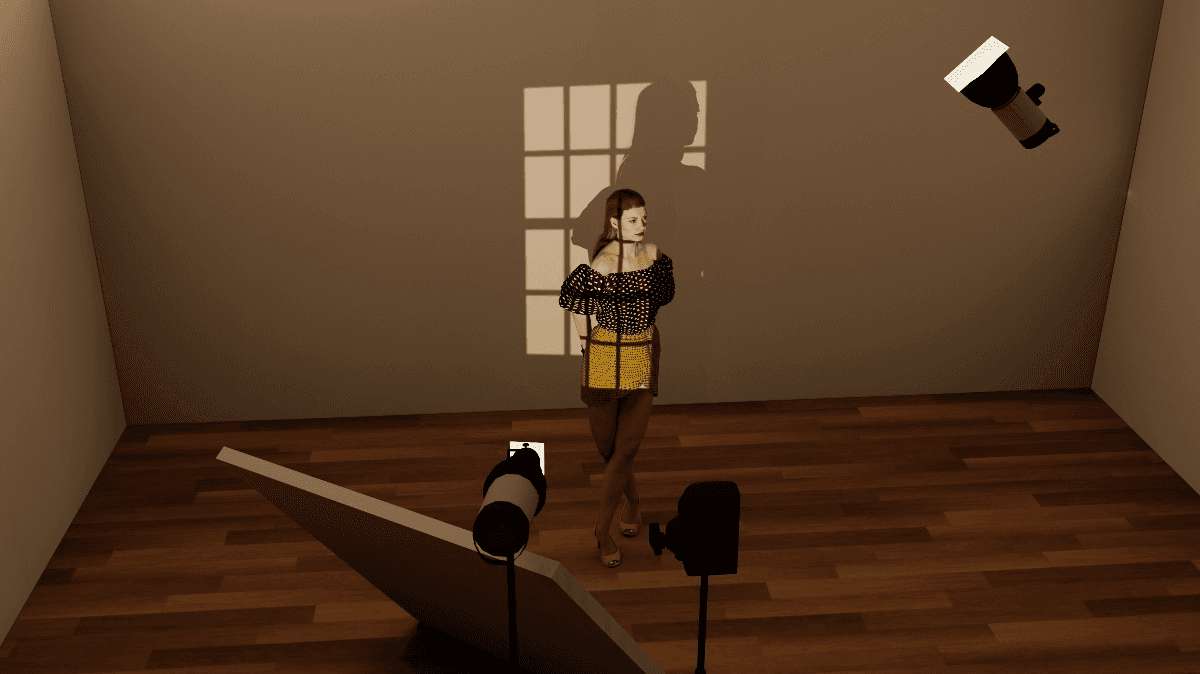
Image credit: Facebook - elixxier Software
3. Decorative / Artificial Gobos
These are stylized patterns used mainly for aesthetic or branding purposes rather than realism.
Where to use:
Hotels and luxury interiors
Event spaces or commercial projects
Feature walls and focal areas
Why it works:
They add a cinematic and high-end feel, making renders stand out visually.
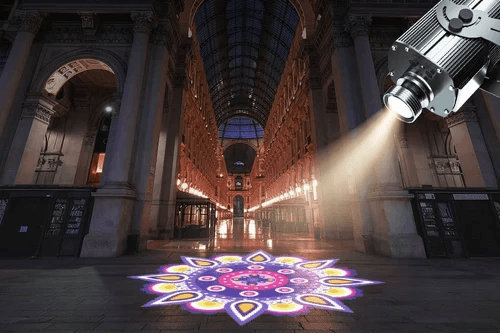
Image credit: Indiamart
4. Custom Texture Gobos
These use custom-designed textures, including logos, text, or unique patterns.
Where to use:
Branding in commercial visualizations
Presentation renders
Creative or conceptual projects
Why it works:
They give full creative control, allowing you to tailor lighting effects exactly to your project needs.

Image credit: Indiamart
“Quick Insight: The best ArchViz renders often combine multiple types of gobos subtly, rather than relying on just one, to achieve a balanced and realistic lighting setup.”
Conclusion
Gobo lighting is a simple yet powerful technique that can dramatically improve the realism and visual impact of your architectural renders. By introducing natural light patterns and subtle imperfections, it helps transform flat scenes into more immersive and cinematic visuals.
And when working with complex lighting setups, using a render solution like Flux Render Farm can help you achieve faster results while optimizing both cost and render time.

Frequently Asked Questions
Where can I find high-quality gobo textures for ArchViz projects?
You can find them on texture libraries like Poliigon, AmbientCG, or create your own using high-contrast black and white images.
Which light type works best for gobo lighting in Autodesk 3ds Max?
Spot lights and directional lights work best, as they allow better control over projection, direction, and shadow sharpness.
Does using gobo lighting increase render time in engines like V-Ray or Corona Renderer?
It can slightly increase render time due to shadow calculations, but using Flux Render Farm helps optimize performance and reduce overall render duration.
Can I use gobo lighting in real-time engines like Unreal Engine?
Yes, you can use light functions or projected textures in Unreal Engine to achieve similar gobo effects in real time.
What is the difference between using a gobo and modeling actual geometry for shadows?
Gobos are faster and lightweight for adding detail, while geometry gives more physically accurate results but increases scene complexity and render time.