
How to Find High Quality ArchViz 3D Model Libraries?
Find high quality ArchViz 3D model libraries by choosing platforms with realistic assets, clean geometry, & optimized files.

Finding high quality 3D models is one of the biggest shortcuts in architectural visualization. A great asset library can save hours of modeling time, improve realism, and help you deliver projects faster without sacrificing quality.
But not every 3D model online is production ready. Some models are too heavy, poorly textured, or badly optimized, which can slow down your workflow and increase render times. Knowing how to identify professional quality assets is an important skill for every ArchViz artist.
In this guide, we’ll cover what makes a good 3D model library, where to find the best assets, and how to choose models that actually work well in real world rendering projects.
Why High Quality 3D Models Matter in ArchViz?
Improves scene realism and presentation quality
Saves modeling and texturing time
Creates better lighting and shadow interaction
Reduces cleanup and fixing work
Helps maintain consistency across projects
Speeds up client revisions and deadlines
Produces more believable close up renders
Improves animation quality for walkthroughs
Prevents viewport lag caused by messy geometry
Helps achieve professional portfolio quality renders
What are the Characteristics of a Good ArchViz 3D Model Library?
Clean and organized topology
Optimized polygon count
High resolution PBR textures
Correct real world scale
Proper UV mapping
Multiple file format support
Consistent asset quality across categories
Ready to use materials and shaders
Detailed previews before download
Well categorized asset collections
Fast search and filtering system
Regularly updated asset database

Image Source: TurboSquid
Difference Between Free vs Paid 3D Model Libraries
Feature | Free Libraries | Paid Libraries |
Model Quality | Mixed quality | Usually professional quality |
Texture Resolution | Often limited | High resolution textures |
Optimization | Inconsistent | Better optimized |
Asset Variety | Limited collections | Massive libraries |
Licensing | Sometimes unclear | Commercial friendly |
Support | Rare | Customer support available |
File Formats | Basic support | Multiple formats included |
Updates | Less frequent | Regular updates |
Production Ready | Not always | Mostly ready to use |
Best For | Learning and practice | Professional workflows |
Best Websites for ArchViz 3D Models
CGTrader - Best for a large variety of furniture, decor, and commercial assets.
TurboSquid - Best for premium professional models and detailed products.
Sketchfab - Best for quick previews and browsing interactive 3D assets.
3Dsky - Best for interior furniture and decorative ArchViz assets.
Evermotion - Best for high end ArchViz collections and scene packs.
Quixel Megascans - Best for realistic surfaces, vegetation, and scanned assets.
Poly Haven - Best for free HDRIs, textures, and quality assets.
BlenderKit - Best for Blender users needing built in asset access.
KitBash3D - Best for large scale environments and city assets.
Chaos Cosmos - Best for V-Ray and Corona users needing ready to render assets.
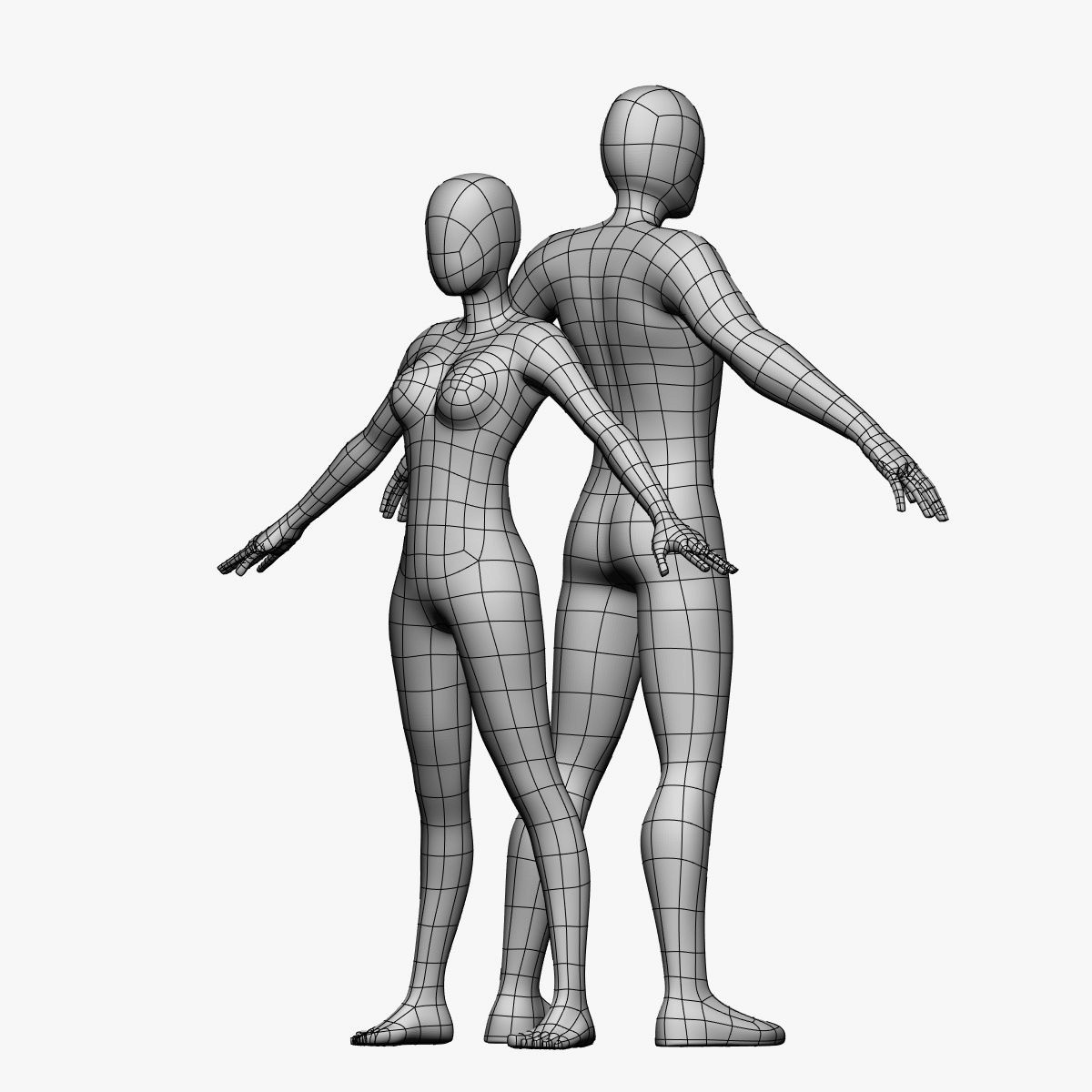
Image Source: Free 3D
How to Check Model Quality Before Downloading?
Check wireframe previews for clean geometry
Look for proper edge flow and topology
Verify polygon count before importing
Inspect texture resolution and sharpness
Check if PBR maps are included
Read user reviews and ratings
Confirm compatible file formats
Avoid models with broken materials
Check scale accuracy in previews
Download test assets before purchasing large packs
Look for render previews in different lighting conditions
Verify licensing for commercial projects
Optimized Models for Faster Rendering
1. Use Low Poly Assets Where Possible
Background objects do not always need millions of polygons. Use lighter assets for distant objects.
2. Replace Heavy Geometry With Proxies
V-Ray Proxy and Corona Proxy workflows can dramatically reduce viewport lag and memory usage.
3. Use Efficient Texture Sizes
Not every object needs 8K textures. Reduce unnecessary texture resolution to improve scene performance.
4. Remove Hidden Geometry
Delete unseen polygons inside furniture or walls to reduce unnecessary calculations.
5. Use Instancing for Repeated Assets
Repeating objects like chairs, trees, or lights should use instances instead of copies.
6. Optimize Vegetation Assets
Trees and scatter assets are usually the heaviest elements in ArchViz scenes. Use optimized plant libraries whenever possible.
7. Organize Assets Properly
Keep models, textures, proxies, and materials organized to avoid missing file issues during rendering.
8. Test Assets Before Final Production
Always test new assets in small scenes before adding them to large production projects.
Conclusion
High quality 3D model libraries can completely change your ArchViz workflow. The right assets help you create more realistic scenes, reduce production time, and avoid technical problems during rendering.
Instead of downloading random models, focus on building a clean and optimized library that matches your workflow and rendering engine.
As your projects become larger and more detailed, optimization becomes just as important as realism. Heavy scenes with high quality assets can quickly increase render times, especially for animations and large scale interiors.
That’s where cloud rendering solutions like Flux Render Farm can help by handling complex rendering workloads faster and more efficiently.

Frequently Asked Questions
What file formats are best for ArchViz models?
FBX, OBJ, MAX, and BLEND are the most commonly used formats because they support geometry, materials, and compatibility across major 3D software.
Which 3D model libraries work with 3ds Max, Blender, and SketchUp?
Libraries like CGTrader, TurboSquid, and Sketchfab support multiple formats compatible with 3ds Max, Blender, and SketchUp.
Are free 3D model libraries good enough for professional work?
Some free libraries offer excellent assets, but paid libraries usually provide better optimization, textures, and consistent quality for production work.
How do I organize my 3D asset library?
Sort assets into folders like furniture, vegetation, lighting, and materials, and keep textures and proxies properly linked for easy access.
What are common mistakes when downloading 3D models?
Artists often ignore polygon count, texture quality, scale accuracy, and licensing before downloading models.
Which libraries are best for furniture models?
3Dsky and Evermotion are popular choices for high quality furniture and interior assets.
Which libraries are best for vegetation and scatter assets?
Quixel Megascans and Chaos Cosmos are excellent for realistic vegetation and nature assets.
Which libraries are best for interior decoration assets?
CGTrader and 3Dsky provide large collections of decorative ArchViz assets.
Can high poly models slow down rendering?
Yes, extremely high poly models can increase viewport lag, memory usage, and render times, especially in large scenes.
Are PBR textures important in architectural visualization?
Yes, PBR textures create more realistic lighting, reflections, and material behavior in renders.
How is AI changing 3D model libraries?
AI is helping generate smarter asset tagging, faster model creation, automatic optimization, and improved search recommendations in modern libraries.